

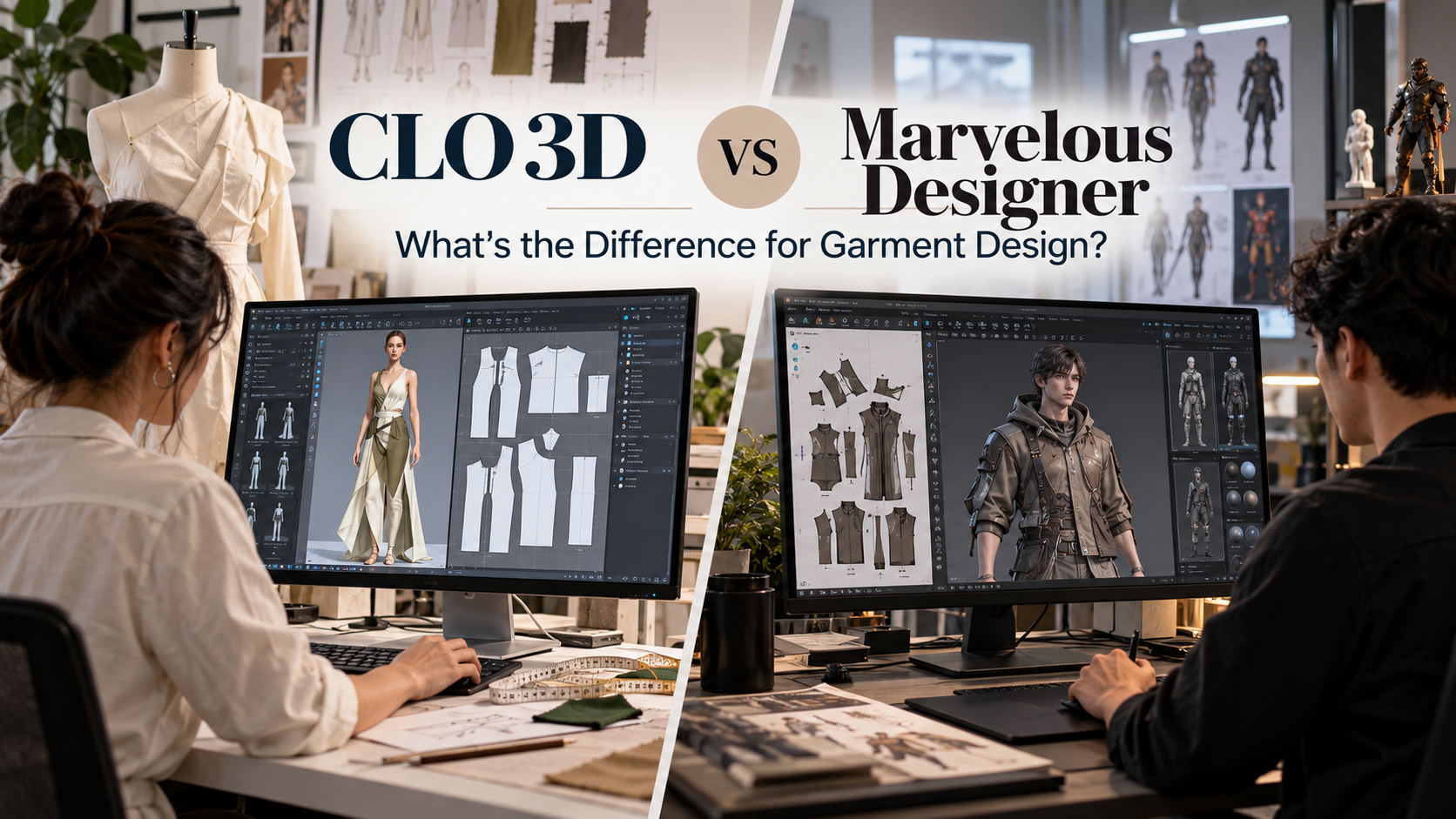
CLO 3D and Marvelous Designer may look similar because both allow users to create 2D patterns, digitally stitch them and simulate garments on 3D avatars.
The main difference is what happens after the garment is created.
CLO 3D focuses on fashion design, pattern development and apparel production, while Marvelous Designer is primarily designed for digital clothing used in games, animation, VFX and character art.
CLO 3D vs Marvelous Designer: Key Differences
| Feature | CLO 3D | Marvelous Designer | |
| Primary use | Fashion and apparel development | Games, animation and VFX | |
| Typical users | Fashion designers and pattern makers | 3D and character artists | |
| Pattern making | Apparel-focused 2D pattern tools | Patterns for virtual garments | |
| Fabric simulation | Fit, draping and apparel testing | Character clothing simulation | |
| Size grading | Dedicated grading tools | Not focused on industrial grading | |
| Production workflow | DXF-AAMA/ASTM, layouts and production tools | More focused on 3D asset workflows | |
| Additional tools | Fabric consumption, pattern documentation | UV editing, mesh and animation tools | |
| Typical output | Digital samples and production-related patterns | Digital clothing for 3D environments |
Both use similar pattern-based garment creation, but their features are designed around different industries.
What Is CLO 3D?
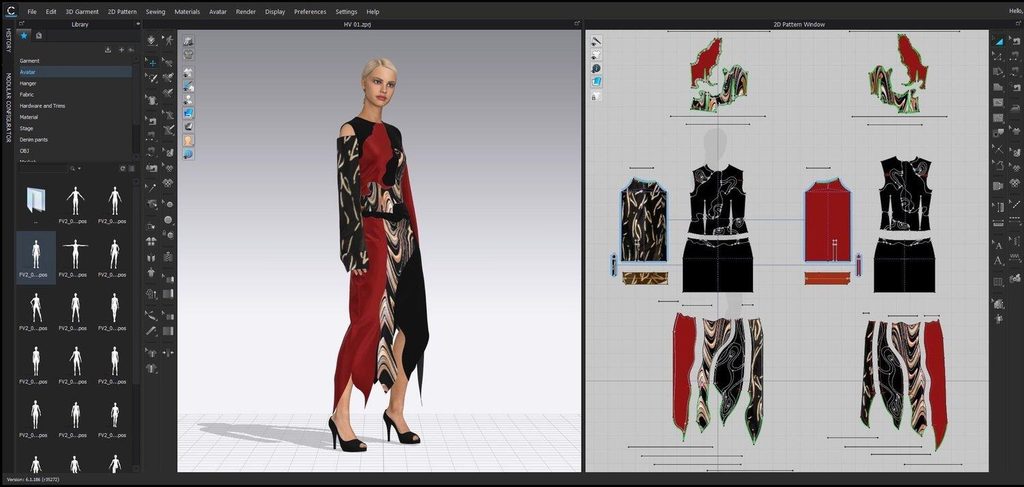
CLO 3D is digital fashion software that combines pattern making with 3D garment simulation.
A designer can create front, back and sleeve patterns, digitally sew them together, place the garment on an avatar and adjust the fit, proportions, fabric and construction before producing a physical sample.
CLO can be used to:
- Create and edit digital sewing patterns
- Simulate garments on avatars
- Experiment with fabric, colours and prints
- Evaluate garment fit
- Grade patterns into different sizes
- Arrange printable pattern layouts
- Estimate fabric consumption
- Exchange production patterns through DXF formats
These tools make CLO particularly relevant when a virtual garment is expected to continue toward physical apparel production.
What Is Marvelous Designer?
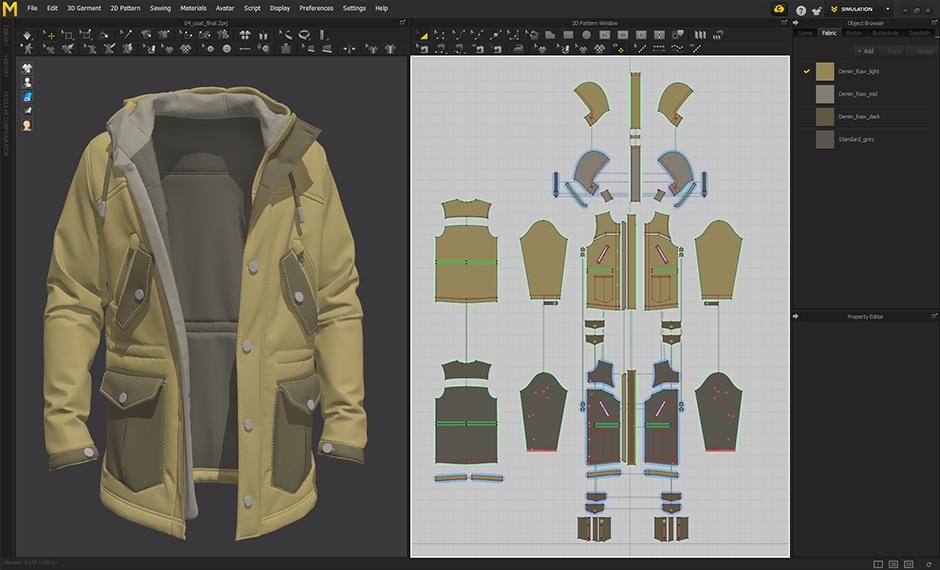
Marvelous Designer also creates clothing from 2D pattern pieces, but its main focus is digital characters and 3D production.
For example, a character artist can create a coat for a game character, simulate realistic folds and draping, refine its silhouette and then export it into another 3D workflow.
Marvelous Designer can be used to:
- Create 3D garments from 2D patterns
- Simulate layered clothing
- Design costumes for virtual characters
- Create realistic folds and fabric behaviour
- Edit UV layouts
- Prepare garment meshes
- Export clothing and animation-related data
It works particularly well alongside other software used for character design, animation, gaming and VFX.
Pattern Making: Where the Difference Becomes Important
Both programs begin with 2D patterns.
In CLO, however, pattern drafting connects more directly with traditional apparel development.
A designer can modify a base pattern, see the result immediately in 3D and then create additional sizes using dedicated grading tools.
Marvelous Designer also allows pattern creation and editing, but its patterns are primarily intended to create convincing digital garments, rather than complete industrial apparel-production workflows.
This becomes especially important when a virtual design must eventually become a real garment.
Fabric Simulation and Garment Fit
Fabric simulation is central to both programs.
CLO allows designers to examine how different fabric settings affect the garment’s:
- Drape
- Silhouette
- Appearance
- Fit
Designers can also compare garments across different sizes and make pattern adjustments.
Marvelous Designer uses similar simulation principles, but the goal is often to create believable clothing for a digital character.
So although the technology is similar, the final requirement is different:
Fashion production: Will the garment fit and work when physically manufactured?
Digital production: Will the clothing look and behave correctly on the 3D character?
Virtual simulation in either program should not be treated as a complete replacement for physical fabric and garment testing.
Size Grading and Production
This is one of the strongest differences for fashion designers.
CLO includes dedicated pattern grading tools, allowing designers to create and compare multiple garment sizes.
It also supports production-oriented pattern exchange using formats such as DXF-AAMA and DXF-ASTM.
Marvelous Designer includes pattern editing and scaling but is not designed as an industrial garment grading system.
If you need manufacturer-compatible patterns, multiple sizes and production documentation, CLO provides a more apparel-focused workflow.
Rendering, Animation and Digital Assets
Both programs can create impressive 3D garment visuals.
CLO is commonly used to present fashion concepts and digital samples before physical production.
Marvelous Designer focuses more on preparing clothing for character-art and entertainment pipelines, with features such as UV editing and exports that support formats including FBX and Alembic.
A fashion designer might use a digital garment to communicate changes with a sampling team.
A character artist might export the garment into another 3D program for texturing, animation or game development.
CLO 3D vs Marvelous Designer Pricing
Published individual pricing as of September 2026 included:
| Plan | CLO 3D | Marvelous Designer |
| Monthly individual | $50 | $39 |
| Annual individual | $450 | $280 |
| Student | $25/month or $225/year | Special student pricing subject to eligibility |
| Business | Custom pricing | Studio/enterprise plans |
Prices can vary because of taxes, region, eligibility and billing arrangements, so official licensing pages should be checked before purchasing.
CLO 3D: Main Strengths and Limitations
Strengths
- Built specifically for fashion and apparel
- Strong pattern-development tools
- Dedicated grading functionality
- Production-oriented DXF support
- Garment fit and avatar measurement tools
- Useful for moving from digital concept toward physical production
Limitations
- More tools than a character artist may need
- Can feel complex for beginners
- Pattern-making and garment-construction knowledge is helpful
- Physical sampling and fabric testing are still necessary
Marvelous Designer: Main Strengths and Limitations
Strengths
- Designed for character clothing and digital assets
- Strong cloth simulation and draping
- Useful for realistic folds and layered garments
- UV and CG-focused tools
- Fits well into animation, gaming and VFX workflows
Limitations
- Less focused on physical apparel manufacturing
- Does not offer CLO’s production-oriented DXF workflow
- Less emphasis on apparel grading and technical fit
- Additional software may be required for physical production
CLO 3D or Marvelous Designer: Which Fits Your Work?
Consider what you want to do after creating the garment.
CLO 3D is aligned with:
- Fashion design
- Apparel collections
- Digital sampling
- Pattern development
- Fit evaluation
- Size grading
- Production pattern exchange
- Physical garment development
Marvelous Designer is aligned with:
- Game character clothing
- Animation
- VFX
- Digital costumes
- Character art
- Virtual garments
- 3D asset development
For projects involving real garments, sizing and apparel production, CLO provides more production-oriented tools.
For projects where the garment will remain a digital asset for characters, games or animation, Marvelous Designer provides a workflow built around that environment.
Which Software Should Fashion Design Students Learn?
The answer depends on the type of work a student wants to pursue.
Learning CLO 3D
CLO is particularly relevant for students interested in:
- Fashion design
- Digital pattern making
- Virtual sampling
- Apparel development
- Fashion collection development
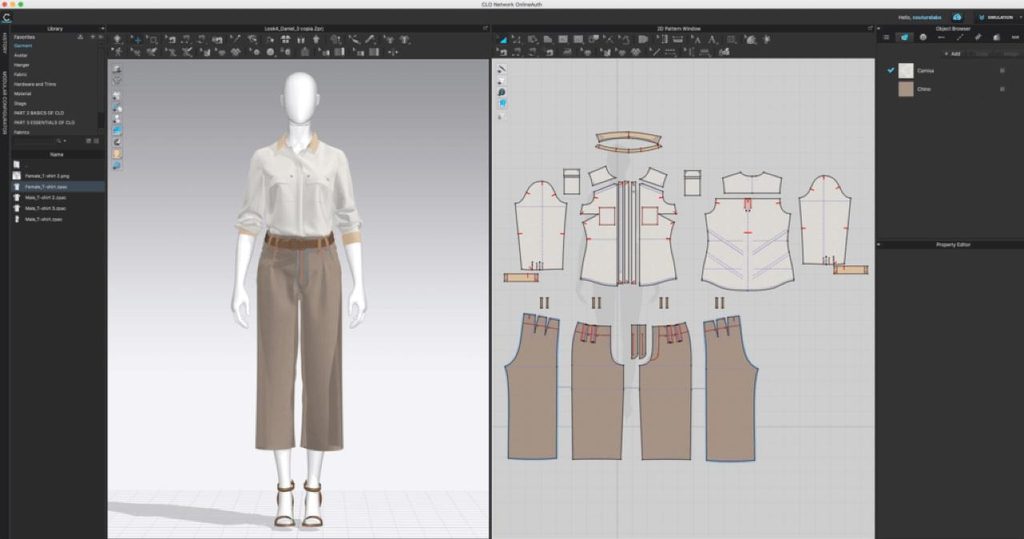
A useful beginner project could be creating a shirt, adjusting its patterns, testing different fabrics and developing additional sizes.
Learning Marvelous Designer
Marvelous Designer is relevant for students and artists interested in:
- Character clothing
- Digital costume design
- Gaming
- Animation
- 3D art
A beginner could create a jacket for a digital character, experiment with its folds and materials and then export it for further 3D development.
Whichever program you choose, understanding fabric, pattern making and garment construction remains valuable because both programs translate 2D patterns into 3D clothing.
Can Marvelous Designer Be Used for Fashion Design?
Yes.
Marvelous Designer can be used to explore silhouettes, garment concepts, fabrics and digital clothing.
The limitation appears when the garment needs to move from a digital model into physical manufacturing.
Production may require grading, manufacturing-compatible pattern formats, layouts and additional technical documentation. CLO includes more functions specifically designed for these requirements.
Frequently Asked Questions
Is CLO 3D the same as Marvelous Designer?
No. They share similar technology and pattern-based workflows, but CLO focuses on fashion and apparel development while Marvelous Designer focuses primarily on digital clothing for CG and entertainment.
Do you need pattern-making skills for CLO 3D?
You can start without advanced pattern-making experience, but understanding garment construction, seams, darts, measurements and fabric behaviour will help you create better results.
Can Marvelous Designer be used to make real clothes?
It can be used to develop garment concepts, but it does not provide all the industrial pattern and production functions commonly needed for apparel manufacturing.
Can CLO 3D be used for animation?
Yes. CLO supports garment animation and compatible animation-related exports, although its main focus remains fashion and apparel development.
Conclusion
CLO 3D and Marvelous Designer use similar methods to create and simulate digital garments, but they serve different professional workflows.
CLO 3D connects digital garment design with pattern making, grading, fitting and physical apparel production.
Marvelous Designer focuses on creating realistic digital clothing for characters, games, animation and VFX.
For students, the most useful distinction is not simply which software has better garment simulation. It is what you ultimately want to create with it.